
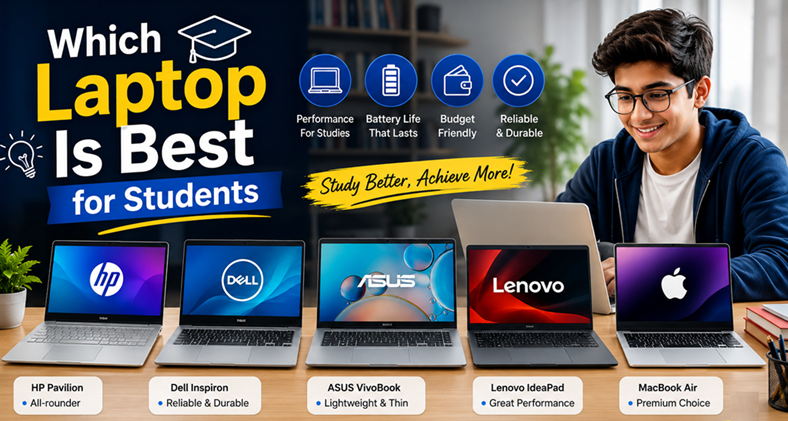
Finding the perfect laptop can be challenging, especially when there are hundreds of models available. Many students ask the same question: which laptop is best for students? The answer depends on your budget, academic needs, and the software you use every day.
A laptop is more than just a device for writing assignments. Students use laptops to attend online classes, conduct research, edit videos, design graphics, program applications, and collaborate with classmates. Choosing the right laptop can improve productivity and make studying much easier.
Whether you’re a high school student, a college freshman, or a university graduate student, this guide explains everything you need to know before buying a laptop.
Quick Comparison Table
| Laptop | Best For | Display | Battery Life | Weight | Price Range |
|---|---|---|---|---|---|
| Apple MacBook Air M4 | Overall Performance | 13.6-inch Retina | Up to 18 hours | 2.7 lbs | $$$ |
| Dell XPS 13 | Premium Windows Users | 13.4-inch FHD+/OLED | Up to 16 hours | 2.6 lbs | $$$ |
| ASUS Zenbook 14 OLED | Best Value | 14-inch OLED | Up to 15 hours | 3.0 lbs | $$ |
| Lenovo IdeaPad Slim 5 | Budget Students | 15.6-inch FHD | Up to 10 hours | 3.8 lbs | $$ |
| Acer Aspire 5 | Everyday Tasks | 15.6-inch IPS | Up to 10 hours | 3.9 lbs | $ |
| Microsoft Surface Laptop | Portability | 13.8-inch PixelSense | Up to 18 hours | 2.9 lbs | $$$ |
| HP Pavilion Plus | Multimedia | 14-inch OLED | Up to 12 hours | 3.1 lbs | $$ |
Why Choosing the Right Student Laptop Matters
A laptop plays a major role in a student’s daily routine. It helps complete homework, join virtual classes, create presentations, and communicate with teachers and classmates.
The wrong laptop can become slow after a few months. It may struggle with multitasking, have poor battery life, or lack enough storage for important files.
A good student laptop should provide:
- Fast performance
- Long battery life
- Lightweight design
- Reliable keyboard
- Good webcam
- Strong security
- Affordable pricing
Investing in the right laptop today can save money in the long run because it will remain useful throughout several years of study. Read more: Daily Earn Money App
What Should Students Look for Before Buying a Laptop?
Many buyers focus only on the processor or the brand. However, several important factors determine whether a laptop is suitable for students.
Processor (CPU)
The processor is the brain of the laptop.
For most students, these processors work well:
- Intel Core i5
- Intel Core Ultra 5
- AMD Ryzen 5
- Apple M3 or M4
- Snapdragon X Plus
Students studying engineering, programming, or video editing should consider Intel Core i7, AMD Ryzen 7, or Apple M4 Pro processors for additional performance.
RAM
RAM affects multitasking.
Recommended RAM sizes:
- 8GB for basic school work
- 16GB for most college students
- 32GB for professional editing and engineering software
More RAM allows smoother performance when multiple applications are open simultaneously.
Storage
Solid State Drives (SSD) are much faster than traditional hard drives.
Recommended storage:
- 256GB SSD for light users
- 512GB SSD for most students
- 1TB SSD for creators and engineering students
Cloud storage services can also help save documents without using local storage.
Battery Life
Students often spend the entire day on campus.
A laptop should ideally provide:
- At least 10 hours of battery life
- Fast charging support
- Efficient power management
Long battery life reduces the need to carry a charger everywhere.
Display Quality
A better display reduces eye strain during long study sessions.
Look for:
- Full HD (1920×1080) resolution
- IPS or OLED panel
- Anti-glare coating
- Brightness above 300 nits
Students who edit photos or videos may benefit from OLED displays with wider color accuracy.
Portability
Students carry laptops between classrooms, libraries, and dorms.
The ideal weight is:
- Under 3 pounds for maximum portability
- Under 4 pounds for larger laptops
A lightweight laptop makes commuting much more comfortable.
Which Laptop Is Best for Students?
There isn’t a single answer for everyone.
Instead, the best laptop depends on your field of study and personal budget.
Let’s look at the top recommendations.
Apple MacBook Air M4 – Best Overall Student Laptop
The MacBook Air M4 is one of the best laptops available for students in 2026. It combines exceptional battery life, impressive speed, and a lightweight design that is easy to carry around campus.
The Apple M4 chip delivers smooth performance for web browsing, note-taking, coding, photo editing, and even light video editing. Its fanless design keeps the laptop silent during everyday use, making it ideal for libraries and classrooms.
The Retina display offers crisp text and vibrant colors, while the keyboard provides a comfortable typing experience for long essays and assignments.
Pros
- Outstanding battery life
- Excellent performance
- Lightweight aluminum body
- Bright Retina display
- Silent operation
- High-quality webcam
Cons
- Premium price
- Limited port selection
- Best experience within the Apple ecosystem
Best for: College students, business majors, medical students, and anyone seeking a dependable, long-lasting laptop.
Dell XPS 13 – Best Windows Laptop for Students
The Dell XPS 13 has long been recognized as one of the finest Windows ultrabooks. Its sleek design, premium materials, and powerful performance make it an excellent choice for students who prefer Windows over macOS.
The laptop features a near-borderless display, creating an immersive viewing experience while keeping the overall size compact. Whether you’re working on spreadsheets, streaming lectures, or running multiple browser tabs, the Dell XPS 13 handles everyday tasks with ease.
Its lightweight build and long battery life make it a practical companion for students who move between classes throughout the day.
Pros
- Premium design
- Bright, high-quality display
- Excellent keyboard
- Strong battery life
- Fast SSD performance
Cons
- Higher price than many competitors
- Limited ports may require adapters
Best for: University students, business majors, and professionals who need a premium Windows experience.
ASUS Zenbook 14 OLED – Best Value for Money
The ASUS Zenbook 14 OLED strikes an excellent balance between price and performance, making it one of the best value options for students. It features a stunning OLED display with vibrant colors and deep contrast, which is ideal for watching lectures, editing photos, or enjoying multimedia during breaks.
Powered by modern Intel Core Ultra or AMD Ryzen processors, the Zenbook 14 delivers reliable performance for multitasking, research, presentations, and light creative work. Despite its premium features, it often costs less than many competing ultrabooks, making it an attractive choice for budget-conscious students.
Pros
- Excellent OLED display
- Great value for the price
- Lightweight and portable
- Fast performance
- Comfortable keyboard
Cons
- Battery life is good but not class-leading
- Speakers could be louder
Best for: Students looking for premium features without paying flagship prices.
Lenovo IdeaPad Slim 5 – Best Budget Laptop for Students
The Lenovo IdeaPad Slim 5 is an excellent choice for students who need a dependable laptop without spending a premium price. It offers a strong combination of performance, battery life, and durability, making it suitable for daily academic work.
With modern Intel Core or AMD Ryzen processors, this laptop easily handles web browsing, document editing, online classes, and multitasking. The full-size keyboard is comfortable for typing long essays, while the Full HD display delivers clear visuals for studying and entertainment.
Students who need a reliable laptop for several years of school will appreciate its solid build quality and consistent performance.
Key Specifications
| Feature | Details |
|---|---|
| Processor | Intel Core i5 / AMD Ryzen 5 |
| RAM | 8GB–16GB |
| Storage | 512GB SSD |
| Display | 15.6-inch Full HD |
| Battery Life | Up to 10 hours |
| Weight | Around 3.8 lbs |
Pros
- Affordable price
- Comfortable keyboard
- Good multitasking performance
- Decent battery life
- Plenty of ports
Cons
- Basic design
- Average speakers
Best for: High school students, college students, and anyone shopping on a budget.
Acer Aspire 5 – Best Affordable Laptop
The Acer Aspire 5 has remained one of the most popular budget laptops because it offers dependable performance at an attractive price. Students who primarily use Microsoft Office, Google Workspace, Zoom, and web browsers will find it more than capable.
Its IPS display provides better viewing angles than many laptops in the same price range, and the upgradeable memory makes it a smart long-term investment.
Key Specifications
| Feature | Details |
|---|---|
| Processor | Intel Core i5 / AMD Ryzen 5 |
| RAM | 8GB |
| Storage | 512GB SSD |
| Display | 15.6-inch IPS Full HD |
| Battery Life | Up to 10 hours |
| Weight | Around 3.9 lbs |
Pros
- Excellent value
- Upgradeable RAM
- Good display
- Comfortable keyboard
- Multiple USB ports
Cons
- Plastic construction
- Average webcam
Best for: Students with limited budgets who still want reliable performance.
Microsoft Surface Laptop – Best for Portability
Students who frequently carry their laptop across campus should consider the Microsoft Surface Laptop. Its slim profile, premium build quality, and lightweight design make it easy to transport between classes.
The PixelSense touchscreen display delivers sharp images and responsive touch controls. Combined with long battery life and fast performance, it is an excellent companion for note-taking, presentations, and remote learning.
Key Specifications
| Feature | Details |
|---|---|
| Processor | Snapdragon X Plus / Intel Core |
| RAM | 16GB |
| Storage | 512GB SSD |
| Display | 13.8-inch PixelSense Touchscreen |
| Battery Life | Up to 18 hours |
| Weight | Around 2.9 lbs |
Pros
- Lightweight
- Premium build quality
- Long battery life
- Excellent display
- Comfortable keyboard
Cons
- Premium pricing
- Limited upgrade options
Best for: Students who travel often and value portability.
HP Pavilion Plus – Best for Multimedia Students
The HP Pavilion Plus is designed for students who enjoy entertainment as much as productivity. Its OLED display produces vibrant colors and sharp details, making it ideal for streaming videos, editing photos, and creating presentations.
The laptop also offers strong everyday performance thanks to its modern processors and fast SSD storage.
Key Specifications
| Feature | Details |
|---|---|
| Processor | Intel Core Ultra 5 |
| RAM | 16GB |
| Storage | 512GB SSD |
| Display | 14-inch OLED |
| Battery Life | Up to 12 hours |
| Weight | Around 3.1 lbs |
Pros
- Beautiful OLED screen
- Fast performance
- Stylish design
- Comfortable keyboard
Cons
- Battery life could be better
- Can become warm during heavy workloads
Best for: Multimedia students, content creators, and everyday users.
Best Laptop Based on Student Needs
Different courses require different levels of computing power. Choosing a laptop that matches your academic workload ensures better performance and value.
| Student Type | Recommended Laptop |
|---|---|
| School Students | Acer Aspire 5 |
| College Students | ASUS Zenbook 14 OLED |
| University Students | Dell XPS 13 |
| Business Students | MacBook Air M4 |
| Medical Students | MacBook Air M4 |
| Programming Students | Dell XPS 13 |
| Engineering Students | ASUS Zenbook 14 OLED |
| Graphic Design Students | HP Pavilion Plus |
| Video Editing Students | MacBook Air M4 |
| Online Learning | Lenovo IdeaPad Slim 5 |
Windows vs MacBook for Students
Many students struggle to decide between Windows laptops and MacBooks. Both platforms have unique strengths.
| Feature | Windows Laptop | MacBook |
|---|---|---|
| Price | More affordable options | Usually more expensive |
| Software Compatibility | Excellent | Excellent, but some apps are Windows-only |
| Battery Life | Good | Outstanding |
| Gaming | Better | Limited |
| Build Quality | Varies by brand | Premium |
| Upgradeability | Often possible | Limited |
| Security | Good | Excellent |
Choose Windows If:
- You are on a budget.
- You need engineering software.
- You play PC games.
- You want more hardware options.
Choose MacBook If:
- You already own an iPhone or iPad.
- You want long battery life.
- You prefer a premium design.
- You work with creative applications.
How Much RAM Do Students Need?
RAM plays a key role in determining how smoothly your laptop performs during multitasking.
8GB RAM
Suitable for:
- Microsoft Office
- Web browsing
- Online classes
- PDF reading
- Google Docs
16GB RAM
Ideal for:
- Programming
- Video editing
- Photoshop
- Multiple browser tabs
- Engineering software
- Virtual meetings
32GB RAM
Recommended for:
- 4K video editing
- Professional design work
- Virtual machines
- Large programming projects
- Advanced engineering applications
For most students, 16GB RAM provides the best balance between performance and future-proofing.
How Much Storage Is Enough?
Storage needs depend on the type of files and software you use.
| Storage | Best For |
|---|---|
| 256GB SSD | Basic assignments and web browsing |
| 512GB SSD | Most college students |
| 1TB SSD | Designers, engineers, and creators |
Cloud services such as OneDrive, Google Drive, or iCloud can also help you store files securely while saving local storage space.
Features Every Student Should Prioritize
Before purchasing a laptop, make sure it includes these important features:
- Full HD display
- SSD storage
- At least 16GB RAM
- Reliable processor
- Comfortable keyboard
- HD webcam
- Wi-Fi 6 or newer
- Bluetooth 5.3 or later
- USB-C connectivity
- Long battery life
- Fast charging support
- Fingerprint reader or facial recognition (optional)
Choosing a laptop with these features can help ensure it remains useful throughout your academic journey.
Common Mistakes Students Should Avoid When Buying a Laptop
Buying a laptop is a long-term investment. Many students choose a device based only on price or appearance, which can lead to disappointment later. Avoiding these common mistakes will help you make a smarter purchase.
1. Buying the Cheapest Laptop
A very low-cost laptop may seem like a good deal, but it can become slow after a year or two. Budget models often have weaker processors, limited RAM, and lower-quality displays.
Instead of choosing the cheapest option, look for the best value within your budget.
2. Ignoring Battery Life
Students often spend long hours on campus, in libraries, or attending lectures. A laptop with poor battery life means carrying a charger everywhere.
Aim for a laptop that offers at least 10 hours of battery life for all-day productivity.
3. Choosing Too Little RAM
Many entry-level laptops still come with only 8GB of RAM. While this may be enough for basic tasks, 16GB is a better choice for most college and university students because it handles multitasking much more smoothly.
4. Buying a Hard Drive Instead of an SSD
Traditional hard drives (HDDs) are much slower than Solid State Drives (SSDs). An SSD improves boot times, application loading, and overall responsiveness.
Always choose an SSD whenever possible.
5. Forgetting About Weight
If you carry your laptop between classes every day, weight matters. A lighter laptop is more comfortable to transport and reduces strain during long commutes.
6. Not Checking Available Ports
Before purchasing, make sure the laptop has the ports you need, such as:
- USB-C
- USB-A
- HDMI
- Headphone jack
- SD card reader (if required)
The right selection of ports can save you from buying extra adapters.
Tips to Make Your Student Laptop Last Longer
Taking good care of your laptop can extend its lifespan and maintain performance throughout your studies.
Keep the Operating System Updated
Install security patches and software updates regularly to improve stability and protect your device.
Clean Your Laptop
Dust can block cooling vents and reduce performance. Clean the keyboard, screen, and vents periodically using appropriate cleaning tools.
Avoid Overcharging
Modern laptops manage charging well, but using the original charger and avoiding extreme heat can help preserve battery health.
Use Cloud Backup
Store important assignments and documents in cloud services such as Google Drive, OneDrive, or iCloud. This helps protect your work if your laptop is lost or damaged.
Install Antivirus Software
Windows users should keep antivirus protection enabled and avoid downloading files from unknown sources.
Use a Protective Sleeve
A padded laptop sleeve or backpack helps prevent scratches and damage while traveling between classes.
(FAQs) About Which Laptop Is Best for Students
Which laptop is best for students overall?
The Apple MacBook Air M4 is one of the best overall choices thanks to its excellent battery life, fast performance, lightweight design, and premium build quality. For Windows users, the Dell XPS 13 is an outstanding alternative.
Is 8GB RAM enough for students?
Yes, 8GB is sufficient for basic tasks such as web browsing, online classes, and document editing. However, 16GB RAM is recommended for better multitasking and long-term performance.
How much storage should a student laptop have?
A 512GB SSD is the ideal choice for most students. It provides enough space for documents, software, photos, and projects while maintaining fast performance.
Which laptop is best for engineering students?
Engineering students often use demanding software such as AutoCAD, MATLAB, and SolidWorks. A laptop with at least an Intel Core i7 or AMD Ryzen 7 processor, 16GB RAM, and a dedicated or powerful integrated GPU is recommended. The ASUS Zenbook 14 OLED is a strong option.
Which laptop is best for programming students?
Programming students benefit from laptops with fast processors, at least 16GB RAM, and SSD storage. The Dell XPS 13 and MacBook Air M4 are both excellent choices.
Is a MacBook good for college?
Yes. MacBooks are known for their reliability, long battery life, excellent displays, and strong performance. They are particularly well-suited for students in business, education, media, and software development.
Can students use gaming laptops for school?
Yes. Gaming laptops can handle schoolwork easily and are ideal for students who also play games or use resource-intensive software. However, they are generally heavier, more expensive, and have shorter battery life than standard student laptops.
Should students buy a touchscreen laptop?
A touchscreen can be useful for note-taking, drawing, and presentations, but it is not essential for most students. Consider it if your coursework benefits from handwriting or creative tasks.
What screen size is best for students?
A 13-inch or 14-inch laptop offers the best balance between portability and usability. Students who need a larger workspace for design or spreadsheets may prefer a 15.6-inch display.
How long should a student laptop last?
A quality laptop should last 5 to 7 years with proper care. Choosing modern hardware and sufficient RAM can help extend its useful life.
Conclusion: Which Laptop Is Best for Students
Choosing the right laptop is one of the most important decisions a student can make. A dependable laptop helps you complete assignments, attend online classes, collaborate on projects, and stay organized throughout your academic journey.
When evaluating your options, prioritize a fast processor, at least 16GB of RAM, SSD storage, a Full HD display, and long battery life. These features provide a smooth and reliable experience for both current and future academic needs.
Whether you choose the Apple MacBook Air M4, Dell XPS 13, ASUS Zenbook 14 OLED, or another recommended model, selecting a laptop that matches your budget and workload will help you succeed in school, college, or university.
With the information in this guide, you can confidently answer the question: Which laptop is best for students? The best laptop is the one that delivers the performance, portability, and reliability you need to learn effectively and achieve your goals.